End of Season: Store CHRONOS Correctly
To ensure your Chronos device is ready for the next season, we recommend charging it to about 2/3. This way, deep discharge can be avoided.
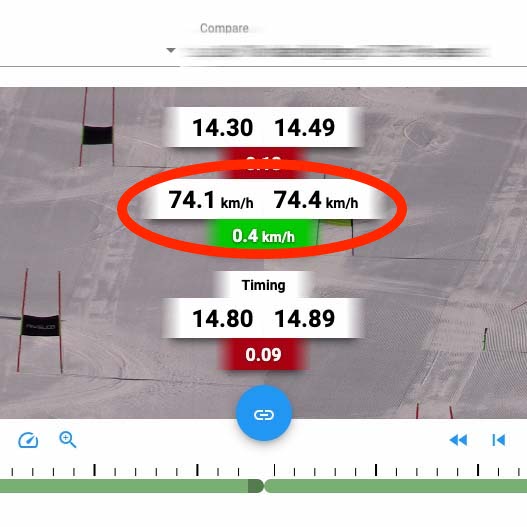
Speeds in Video Analysis
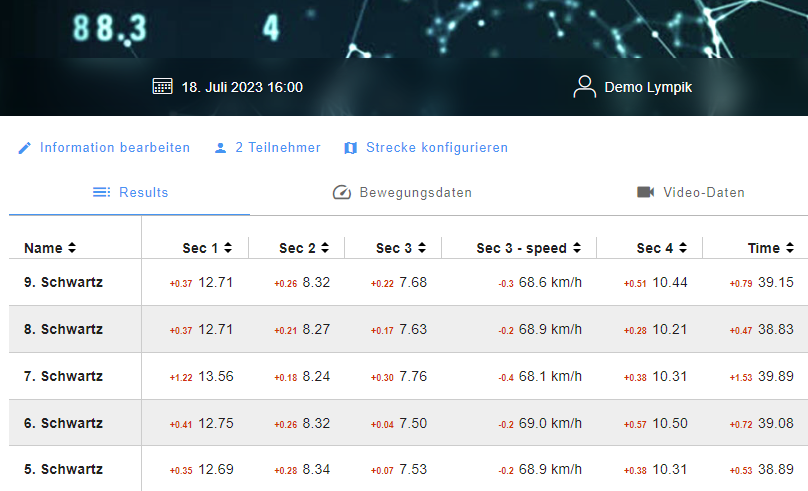
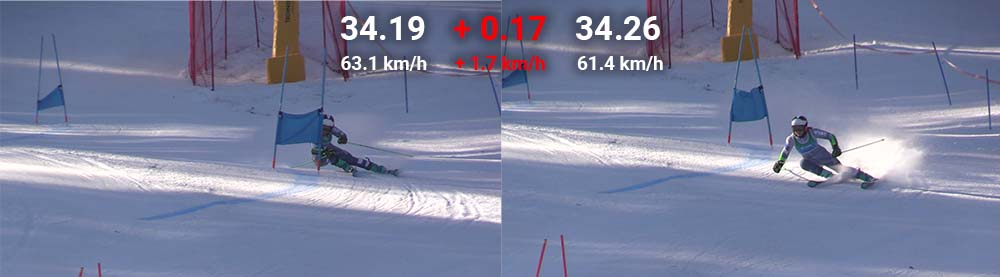
Speed information is now also available in video analysis. Speeds are measured with our OCULUS product.
IRIS Multi-Cam
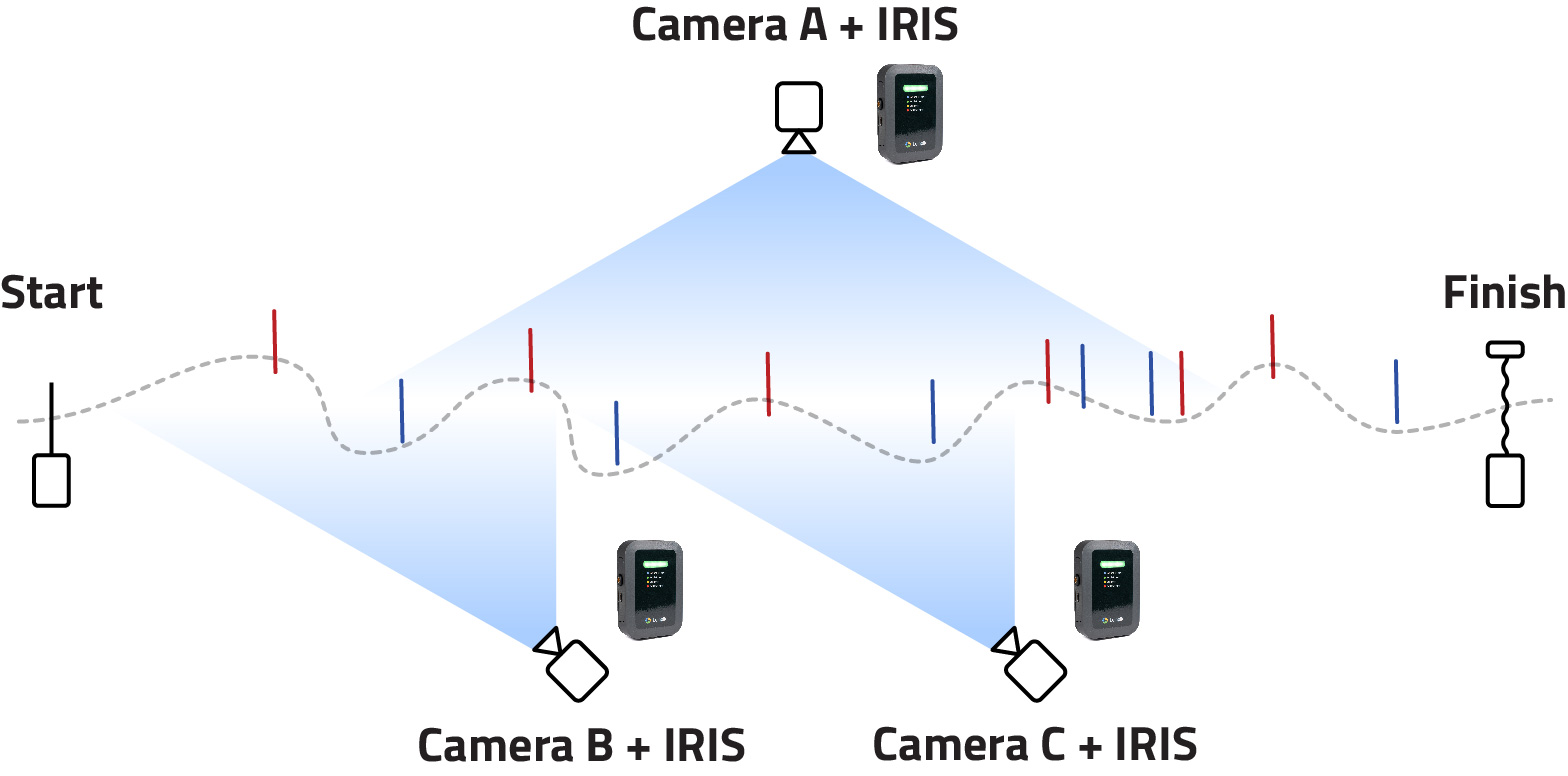
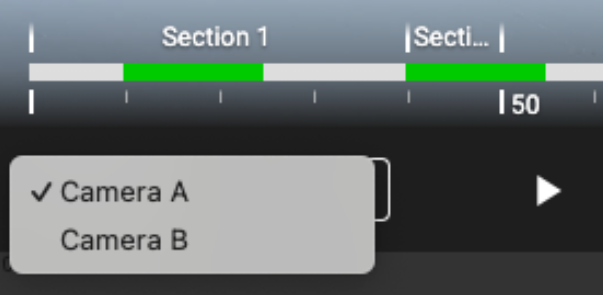
With our latest update for IRIS Video Analysis, we have integrated the ability to easily switch between multiple cameras to analyze the run from different perspectives. Additionally, you can now compare up to 12 different runs simultaneously.
Guest Chips
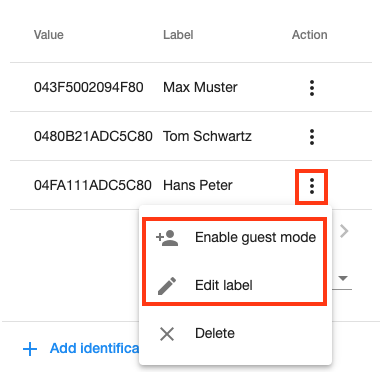
There is now the option to use guest chips. To do this, you need to add the chip to your profile. Then you can open the menu with the three dots and convert the chip to a guest chip. Do not forget to add a name as a label. The name now appears in the results instead of your profile.
Para Factors
Para factors can be used to calculate times with a factor.
Recalculate Result
It is now possible to manually recalculate incorrect or missing times. This functionality requires the Premium subscription.
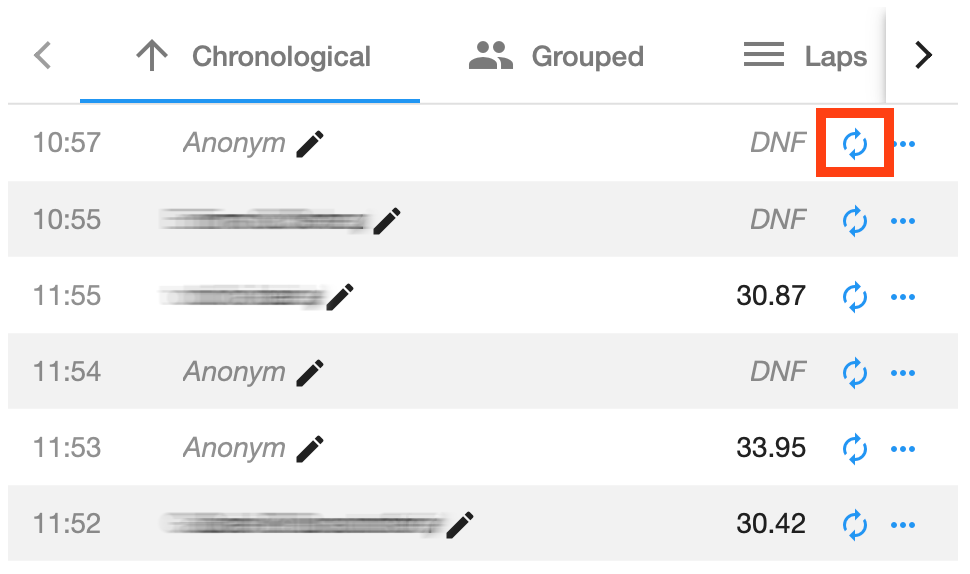
You can recalculate each split time individually. There are two ways to recalculate a time. The first option is automatic recalculation based on your device configuration:
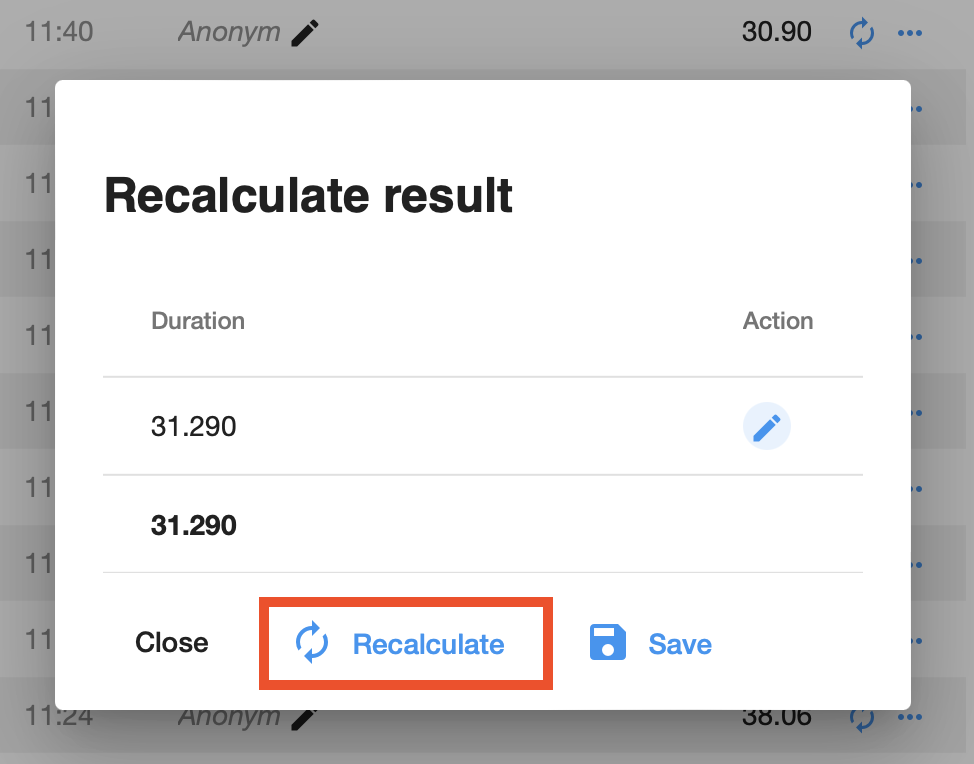
For automatic recalculation to work, the devices must be configured correctly. If this does not produce the desired result, you can also calculate the results manually:
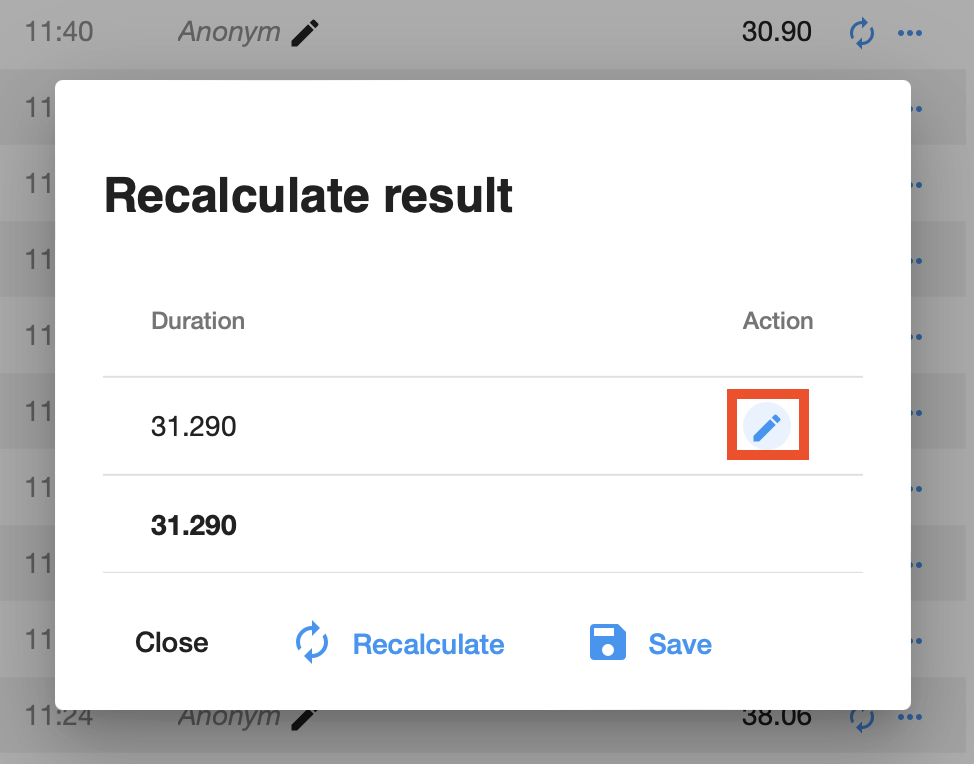
Now you can select a timestamp:
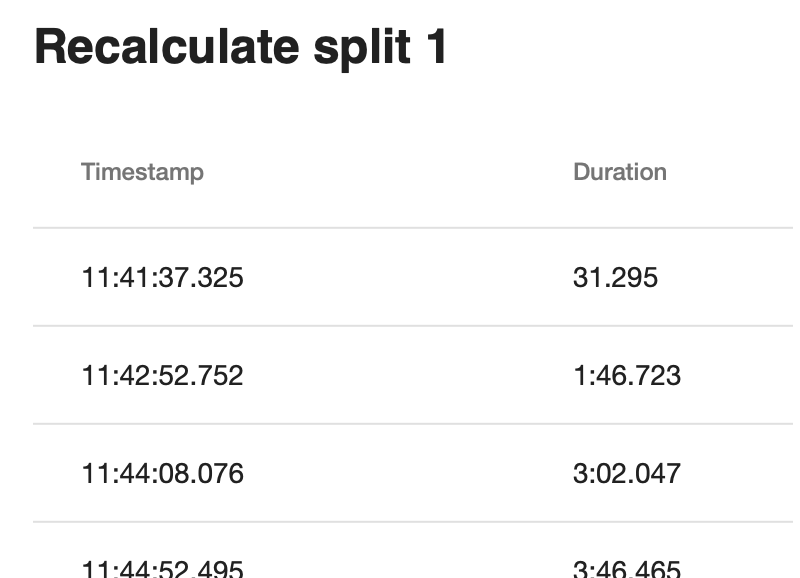
When you are satisfied with the result, you can save it.
Motion Module
The new Motion Module for your Oculus Tracker is now available! We have developed a new module that turns your Oculus Tracker into a standalone measuring device:
Virtual gates are set on a map in the app

And then you are ready to go - you decide which results are calculated. Whether speed or time data, all information is available immediately after upload
Would you like to test our new module? Click the link below!
Important Oculus Update
A new Oculus update is now available. Motion sensor corrections have been made.
Online Video Storage
Online Video Storage is now available in beta: In the future, you can store your video files in our online storage and give your athletes access to them. The days of hard drives are over!
New Sector Analysis
The sector analysis now has new features. You can now filter by athletes and run numbers. This allows you to customize the view according to your needs.

Additionally, not only section times are now available but also split times. This makes analysis even easier!

New Features in Video Analysis
In addition to the time difference between the two videos, the latest update now also displays the split time and finish time of individual runs in the video. The time is automatically added by our app and becomes visible in the video as soon as the athlete is near the timing device.

Online Webinar
We are hosting 3 online webinars on the following topics:
- Nov 8: Timing for the Future
- Nov 9: Video Analysis & Speed Tracking
- Nov 10: Competitions Made Easy
Open the invitation and register for the event.
Premium Video Analysis
Now available: Premium Features for Lympik Video Analysis!
- Video Annotations: Add, edit, delete, and quickly navigate between notes in your videos.
- Overlay System: Display speed, height, GPS, and other data synced with your video – fully customizable via drag & drop.
- Transparent Player or Ghostrider: Compare two videos simultaneously, overlaid.
- Enhanced Interface & Timeline: Intuitive controls, zoom, fullscreen, and clear chapter navigation.
Discover new ways to analyze your videos!
Software Update Chronos
Critical software update for Chronos available.
Software 1.5.3 fixes an issue with internal storage that in rare cases could cause the device to crash.
This has already been sent to your device. Please install it by pressing the green button during startup.
Video Analysis
Tedious, manual cutting and organizing of videos is a thing of the past! Simply select all videos from your training, the app does the rest. Based on the personalized times from our timing system, the videos are cut, assigned to the respective athlete, and key points such as split times are marked.
Timing by Tag
It is now possible to trigger your Chronos devices using the NFC chip. You configure your Chronos devices so that by holding the chip close, the time is started and stopped.

In this configuration, overtakes can now also be displayed, as athletes use their NFC chips at the finish to end their run.