

Browser app

Time savings through automation

GPS & Timing Overlay

Automatic athlete assignment
Lympik Video Analysis. Unlimited possibilities.
Single Videos
Analyze each video individually in full-screen mode.
Head-to-head
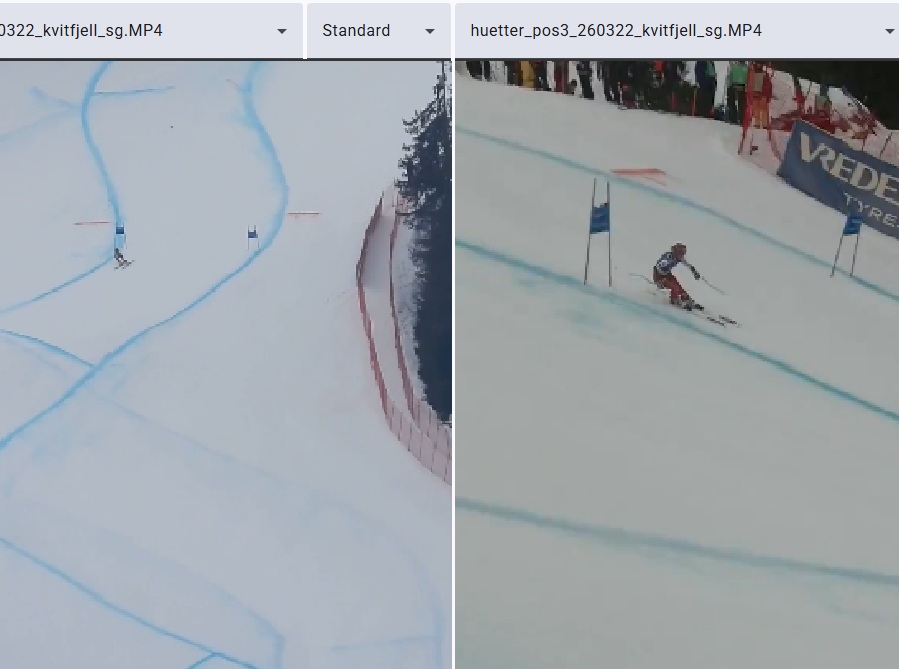
Analyze up to 8 videos simultaneously.
Multicam Setup
One run, multiple angles. Analyze from several different perspectives.
Ghostrider
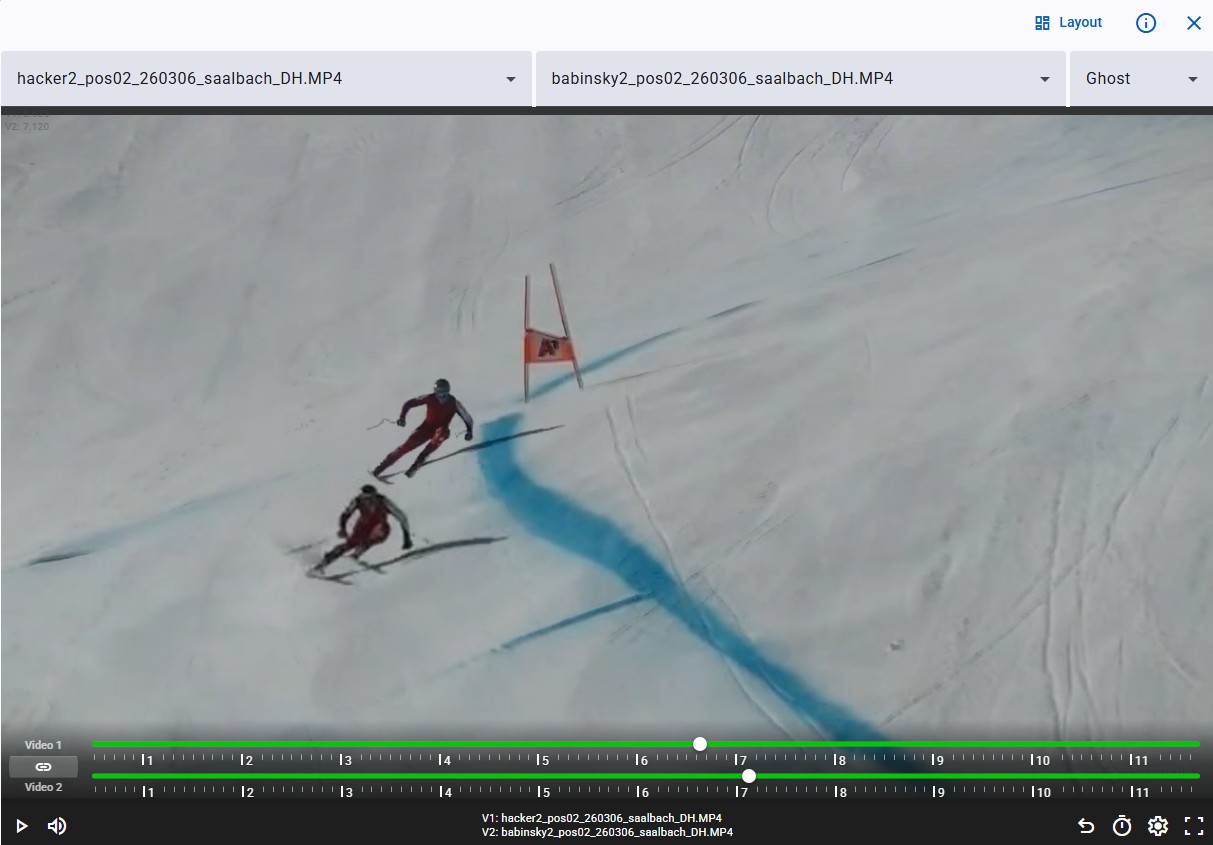
Ghostrider – the pro tool. Overlay two videos on top of each other.
Analyze like World Cup teams with Lympik
The problem with traditional training analysis
Manually cutting, naming, and assigning training videos to the right athletes takes time — time that's missing from coaching. Anyone wanting to integrate GPS or timing data works with multiple systems in parallel and loses track. The Lympik video analysis software solves this completely: videos are automatically processed, runs are assigned to the right athletes, and all data from CHRONOS and OCULUS is merged in seconds. The result is immediately analyzable — on the slope, in the hotel, in the office.

Automatic cutting
Athlete assignment
GPS data & times directly in the video
Browser App
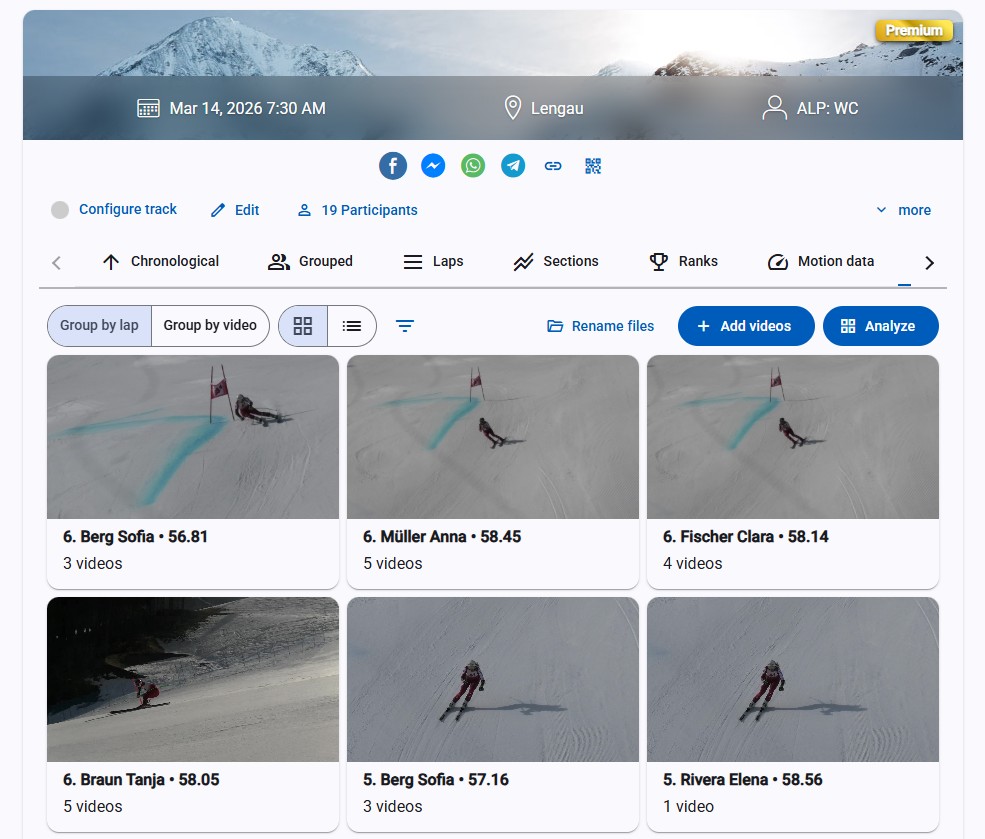
Upload & automatic assignment
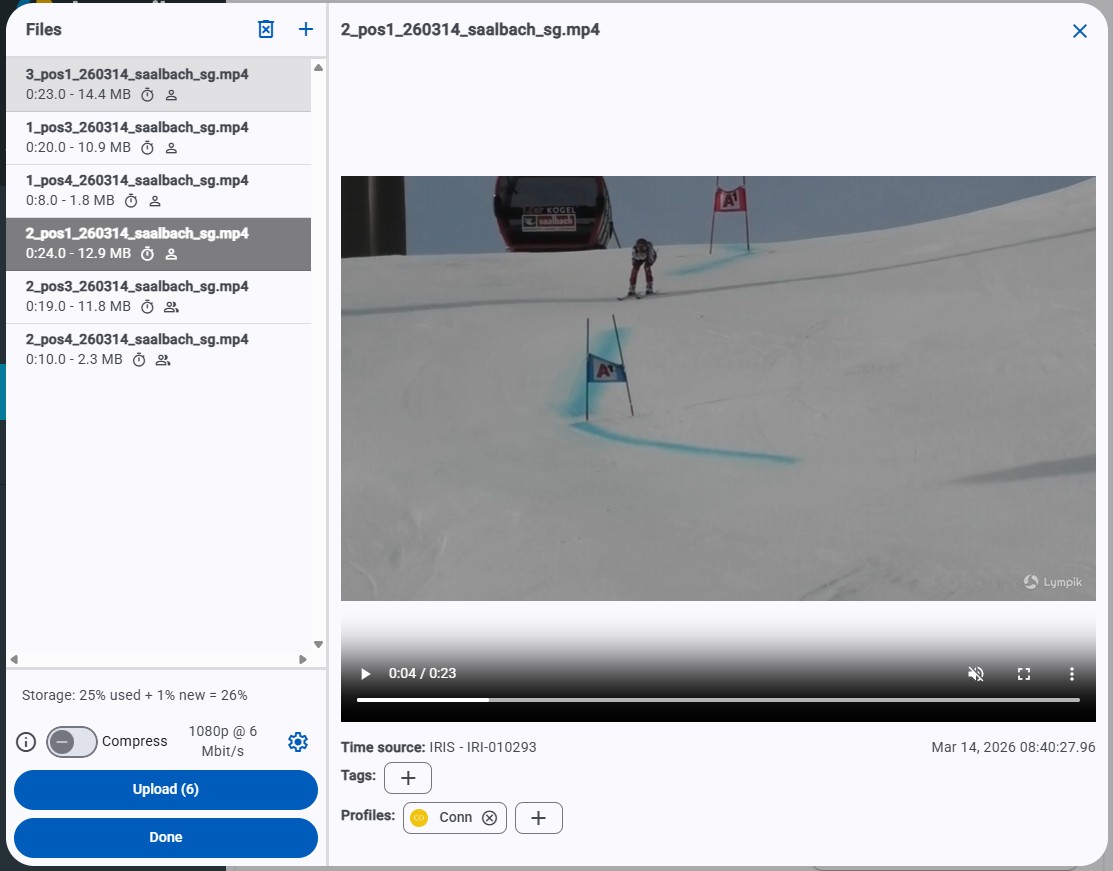
Drag and drop videos from the SD card into the web app. The software automatically recognizes which run is shown on which video using the IRIS timestamp and assigns it to the right athlete. Videos can optionally be uploaded to the Lympik Cloud or used locally for immediate analysis.
For multi-camera setups, each camera is equipped with its own IRIS device. The app automatically recognizes which recordings belong to the same run — no manual assignment, no manual synchronization. Front, side, or overhead: all perspectives are grouped with the right athlete, perfectly synchronized, with the same timestamp.
For multi-camera setups, each camera is equipped with its own IRIS device. The app automatically recognizes which recordings belong to the same run — no manual assignment, no manual synchronization. Front, side, or overhead: all perspectives are grouped with the right athlete, perfectly synchronized, with the same timestamp.
Automatic cutting
Multiple camera perspectives
Browser App
Automatic synchronization
Analysis Player
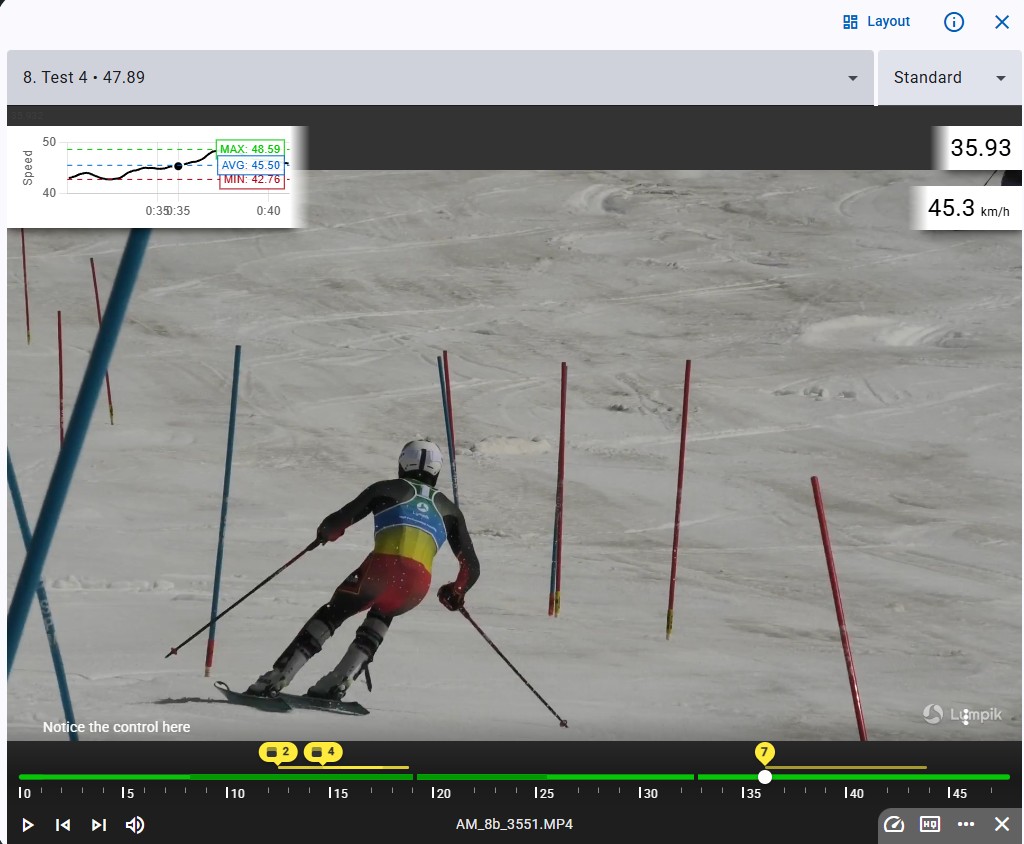
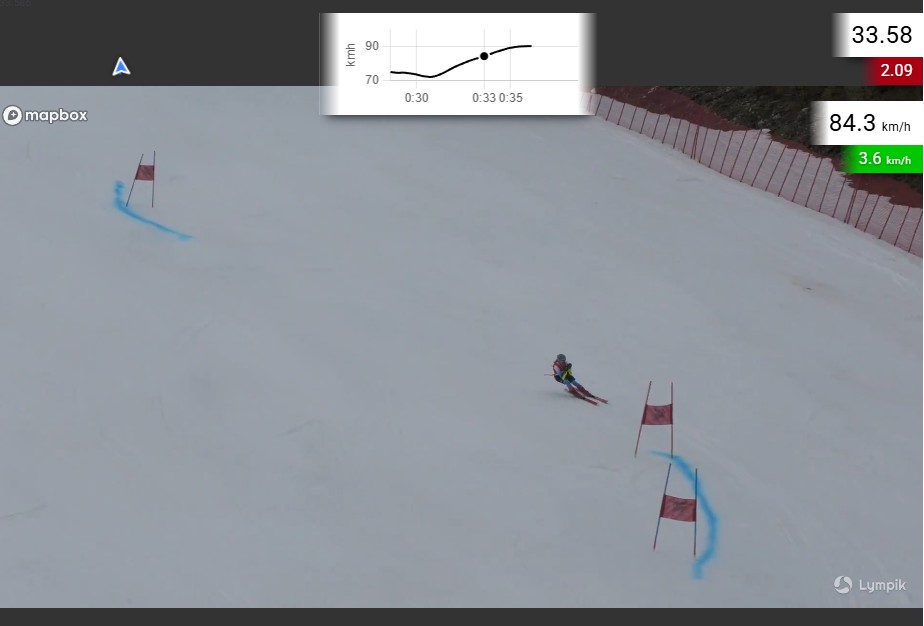
The integrated video player gives full control over every recording: adjust speed steplessly, scrub frame by frame, play multiple videos in sync. The drawing tool allows lines and angles to be drawn directly on the image, a manual stopwatch captures sections outside the timing system. Overlays are freely configurable: GPS mini-map and speed graph are displayed directly in the video, making it immediately visible where speed was gained or lost.
GPS Overlay
Video Player
Drawing tool
Stopwatch
https://lympik-website.b-cdn.net/armand-head2head.webm
https://lympik-website.b-cdn.net/video-overlays.mp4
GPS Integration & Time Comparison
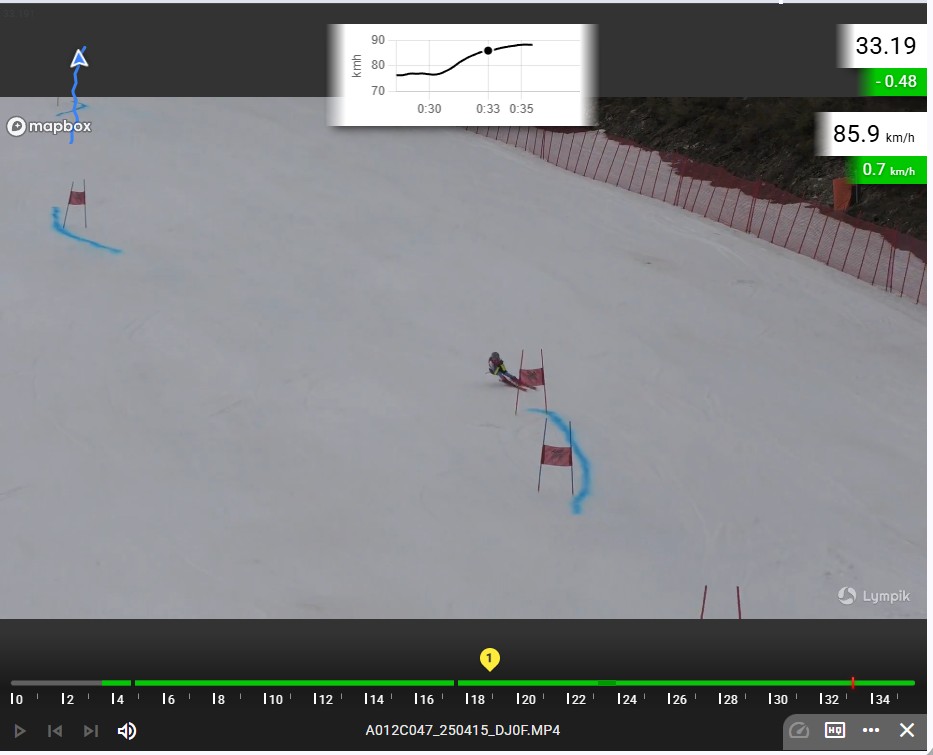
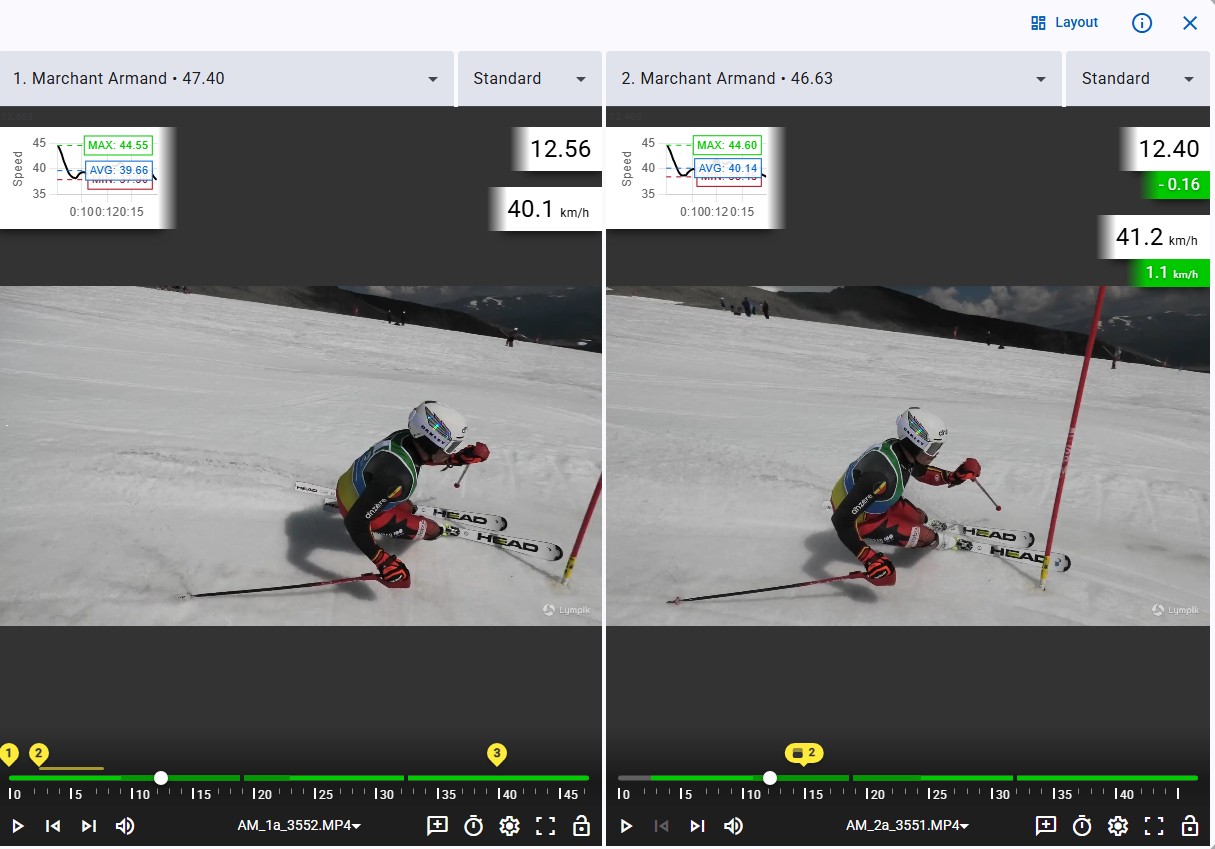
In combination with OCULUS, the athlete's speed and position are known in every frame of the video. Speed graph, mini-map and timestamp are displayed as overlays directly on the image. Two runs of the same athlete or two different athletes can be played side by side in sync. When you scrub through one video, the app automatically calculates the time difference to the other — time gains and losses become visible section by section, not just at the split times. This answers the key questions: where exactly does the athlete lose time? In which turn? With which line?
Position & speed in the video
Time difference between runs
Time gains and losses visible section by section
GPS Mini-Map
Make Movement Visible. Automatically.
Ghostrider: Two Runs. One Image.
AI-powered overlay: automatic superimposition of two videos without manual intervention. The Ghostrider feature overlays two runs in a single video. Two athletes or two runs from the same athlete move simultaneously on the same course. Differences in line choice, technique, and timing become directly visible — without having to compare two videos side by side.
Two runs overlaid
Comparison of two athletes
World Cup analysis for every training session
Line comparison
https://lympik-website.b-cdn.net/Ghost-saalbach-web.webm
https://lympik-website.b-cdn.net/strobo-web.webm
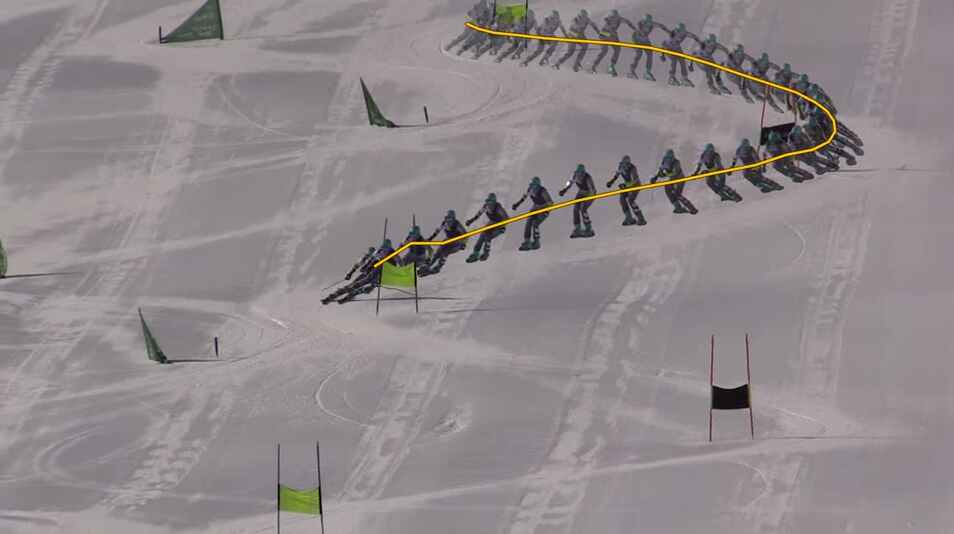
Stroboscope: Every movement. One image.
Break down movements into individual phases and visualize the entire motion sequence in a single image. Technique, trajectory, and positioning become instantly visible. This makes it easy to identify details, compare movements, and optimize performance.
Movement phases
Technique analysis
Motion sequence
Position comparison
Examples with video analysis

Works with
Timing Training
Cloud software for training
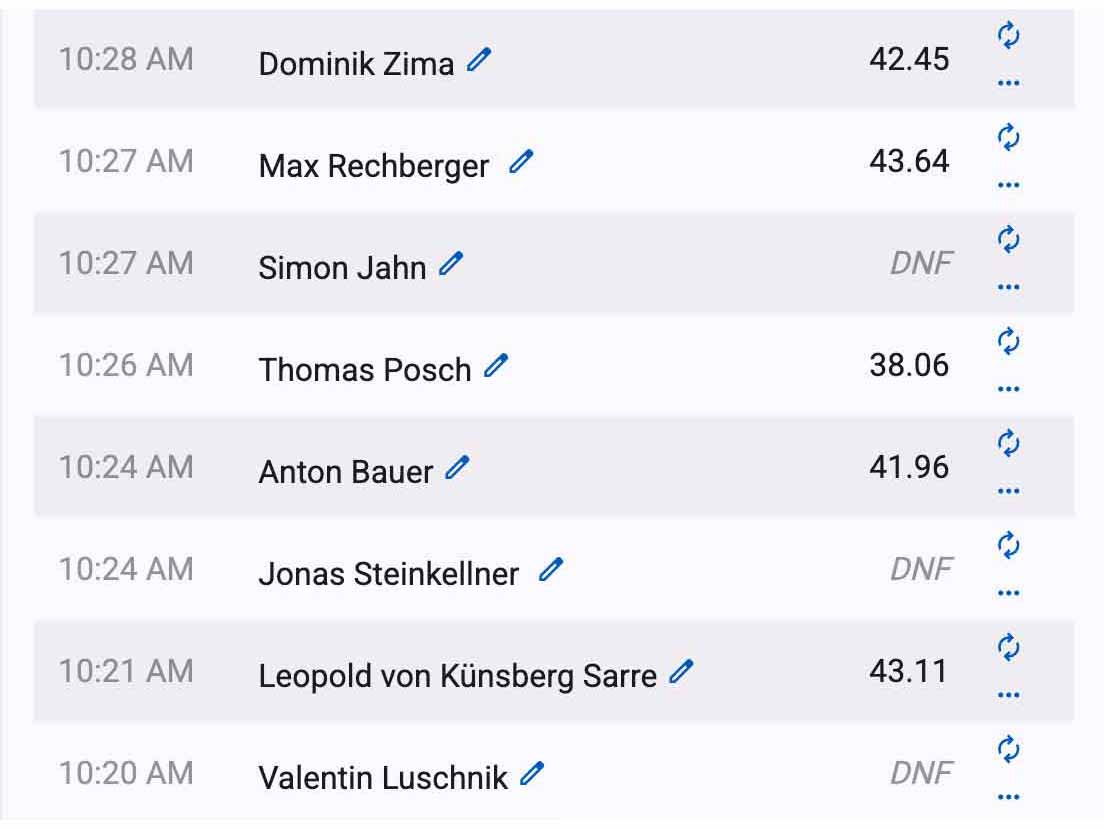
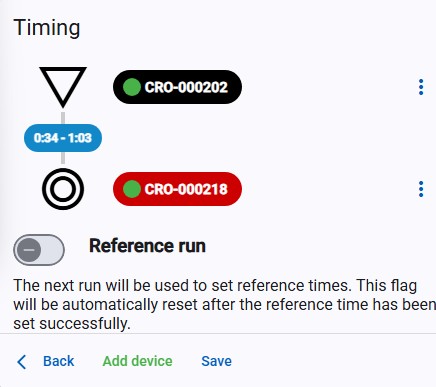
The Lympik web app has its own training module: easy to configure, right in the browser. Set up the course in minutes – start, finish and any number of split times. Athletes identify themselves via NFC chip, ski pass or bib number; every time is automatically assigned to the right profile. Sector analysis, rankings and the complete training history are available instantly. Results can be shared via link, WhatsApp or QR code and exported to Excel.
Motion Analysis
Cloud Software for Motion Data
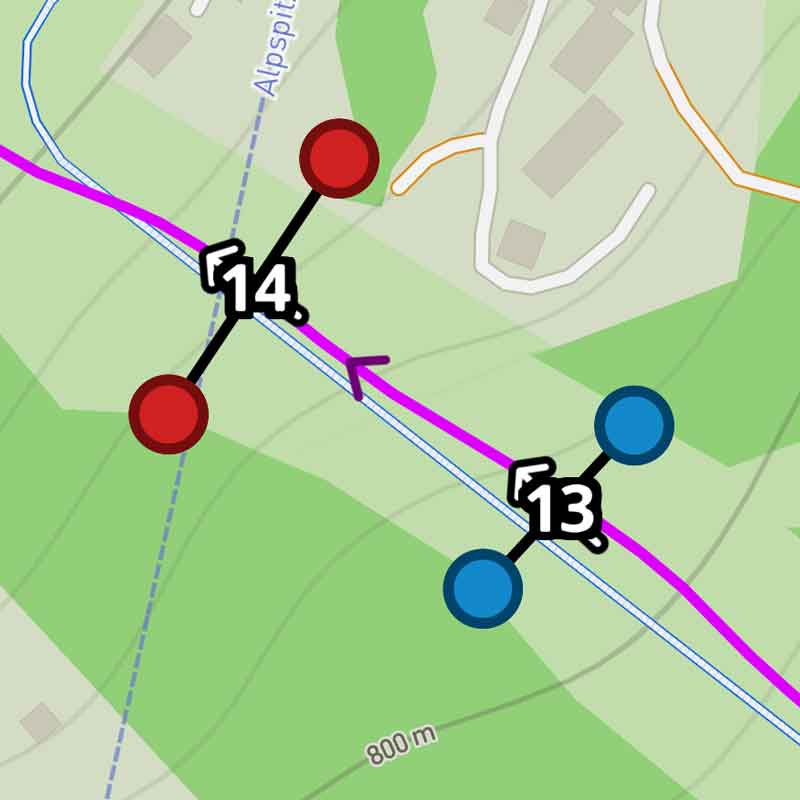
It combines powerful sport-specific analytics with exceptional ease of use and enables coaches to gain detailed insights with just a few clicks. Predefined and customizable templates ensure consistent, comparable results across all training sessions and automatically process key figures such as speed, acceleration and split times. The result: professional-level performance analyses that are simple and efficient and are suitable for daily use in training.
More than video analysis
Video analysis unfolds its full strength in combination with Lympik solutions for motion tracking and timing. By synchronizing precise time data with speed, motion, and video information, every run becomes analyzable in full performance context. Together, timing, tracking, and video analysis form a powerful, fully integrated system — for holistic performance analysis from the first impulse to the finest detail.